Grocery Comparer Help
Learn how to compare grocery prices and find the
best place to shop.
Getting Started
The Grocery Comparer helps you find the cheapest prices for your grocery list across multiple stores. Create a list, compare prices, and decide where to shop to save the most money.
1. Searching for Products
Search for a product, select it from the list, or add a new one.
It's better to be specific to get better results:
- Brand Name: Supply the brand name if required, or leave it empty for any brand.
- Quantity: Specify quantity if required, such as 1L or 1Kg.
- Example: "Norco Full Cream Milk 1L"
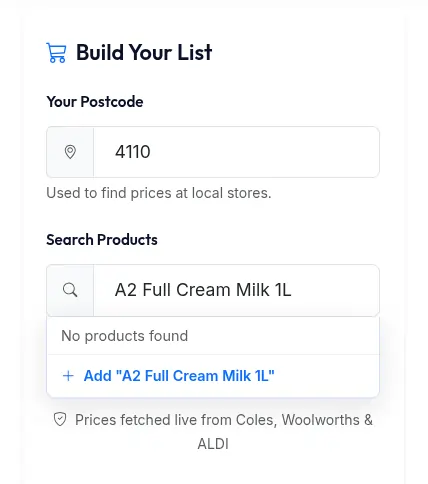
Searching for a specific product
2. Adding Products to Your List
Once you've found or typed the product you want, simply add it to your comparison list. You can add as many items as you need.
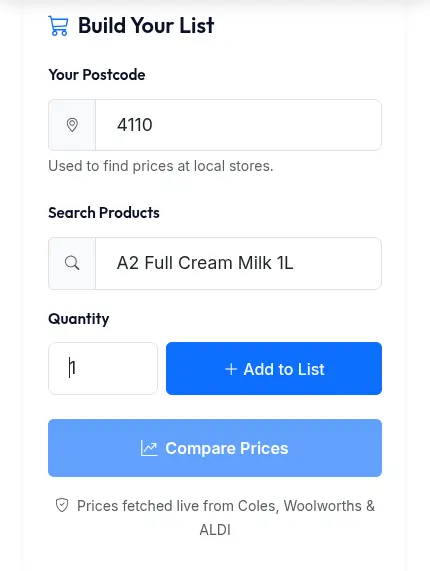
Adding an item to the list
3. Compare Prices
Once all your products are added to the list, click on the Compare button to start fetching the latest prices from different stores.
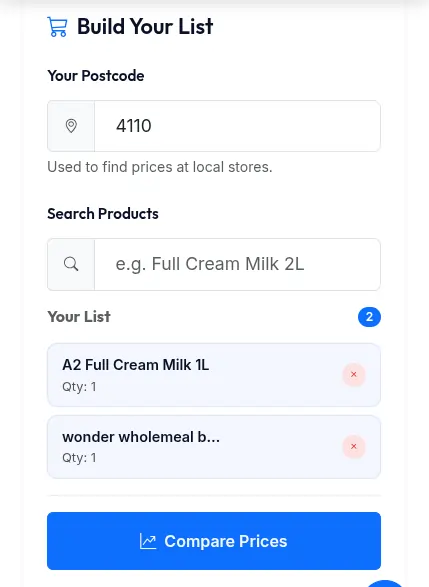
Initiate the comparison
4. Waiting for Results
Fetching prices in real-time can take a while. You will need to wait for the progress to finish, or you can leave the page and come back later. More items mean more time it needs to process.
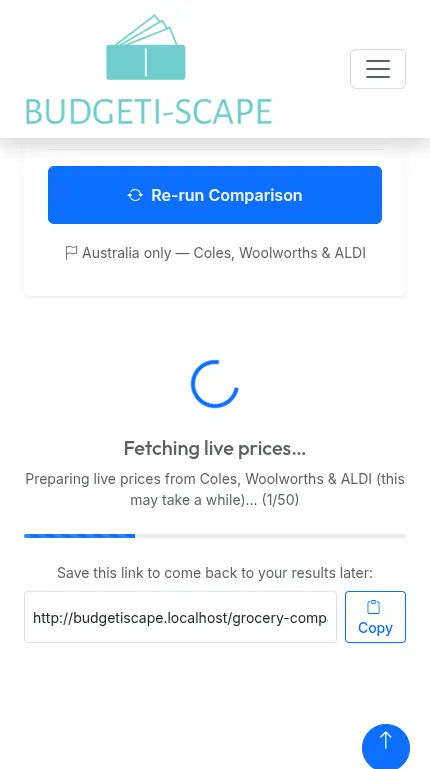
Processing your list
5. Viewing the Summary
Once the result is ready, you can see a summary of the best place to shop in one go.
Alternatively, you can choose a Mixed Shop, which means buying the best-priced product at their respective stores for maximum savings.
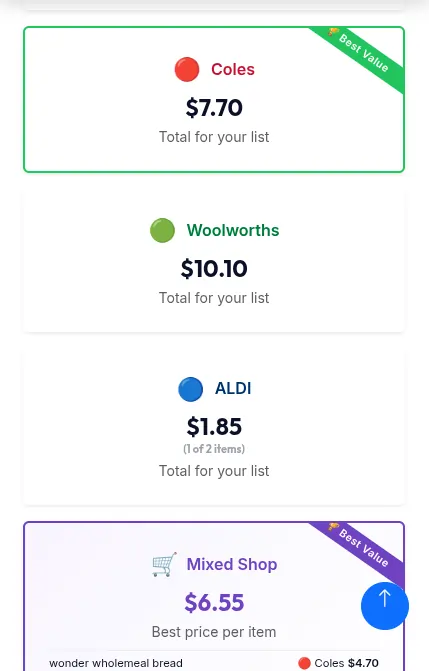
Comparison summary
6. Detailed Breakdown
Scrolling down on the result page will show more details on each product from the list, including the exact item matched and its price at each store.
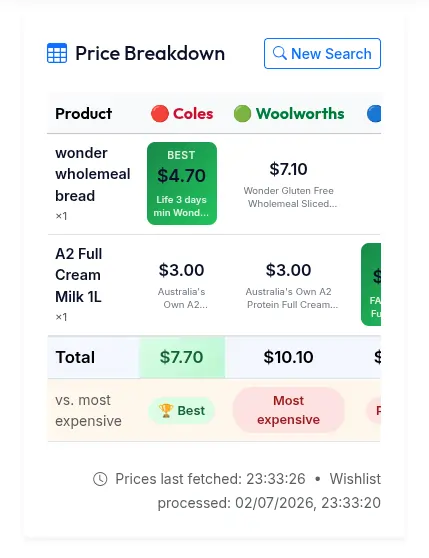
Product-by-product breakdown
7. Updating and Re-running
The results are typically valid for the day, as stores change prices weekly or daily.
If you visit the list the next day, you can re-run the comparison to get the latest prices. You can also update the list (add or remove items) and re-run it at any time.
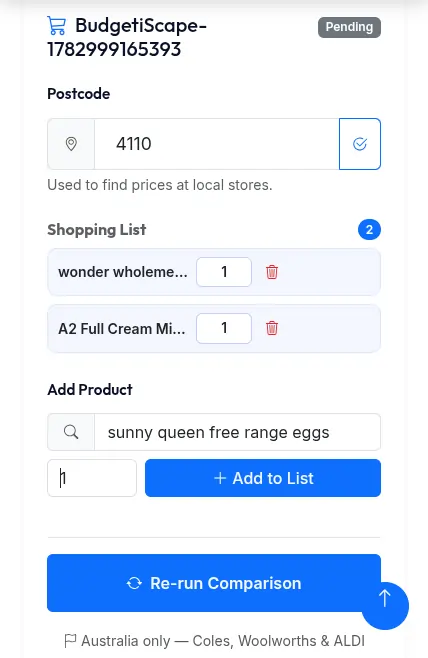
Keeping prices up to date